OR
2) Just click the check mark so that u can have multiple context.
Toos==>options==>system options==.External Reference
Check off 'Allow multiple contexts for parts when editing in assembly'.
source: https://forum.solidworks.com/thread/57521
# Block Facebook IPv4
127.0.0.1   www.facebook.com
127.0.0.1   facebook.com
127.0.0.1   login.facebook.com
127.0.0.1   www.login.facebook.com
127.0.0.1   fbcdn.net
127.0.0.1   www.fbcdn.net
127.0.0.1   fbcdn.com
127.0.0.1   www.fbcdn.com
127.0.0.1   static.ak.fbcdn.net
127.0.0.1   static.ak.connect.facebook.com
127.0.0.1   connect.facebook.net
127.0.0.1   www.connect.facebook.net
127.0.0.1   apps.facebook.com

# Block Facebook IPv6
fe80::1%lo0 facebook.com
fe80::1%lo0 login.facebook.com
fe80::1%lo0 www.login.facebook.com
fe80::1%lo0 fbcdn.net
fe80::1%lo0 www.fbcdn.net
fe80::1%lo0 fbcdn.com
fe80::1%lo0 www.fbcdn.com
fe80::1%lo0 static.ak.fbcdn.net
fe80::1%lo0 static.ak.connect.facebook.com
fe80::1%lo0 connect.facebook.net
fe80::1%lo0 www.connect.facebook.net
fe80::1%lo0 apps.facebook.com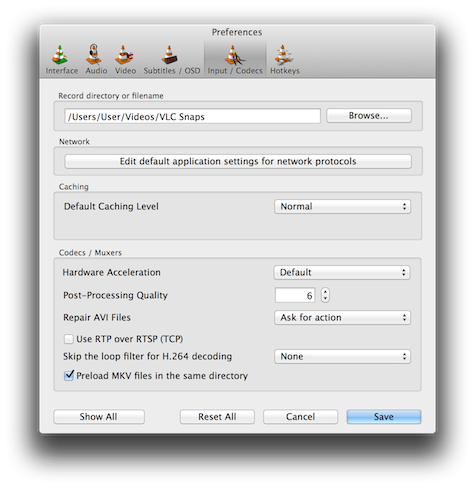
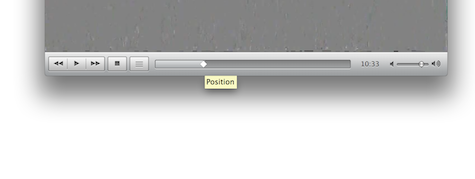
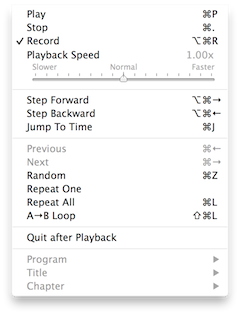 Next, you have to explain to VLC that you want it to record a portion of your video. Roll down the Playback Menu. In there, click to select 'Record'. With this checked, all the playback will be re-recorded on disk.
git config credential.helper 'store [options]'
ls /dev/tty.*
screen /dev/tty.[yourSerialPortName] [yourBaudRate]
screen /dev/tty.usbserial-A6004byf 9600